Online or onsite, instructor-led live Microsoft Office training courses demonstrate through interactive discussion and hands-on practice the fundamentals and applications of Microsoft Office.
Microsoft Office training is available as "online live training" or "onsite live training". Online live training (aka "remote live training") is carried out by way of an interactive, remote desktop. Szczecin onsite live Microsoft Office trainings can be carried out locally on customer premises or in NobleProg corporate training centers.
NobleProg -- Your Local Training Provider
Szczecin
Biuro Aloha, Jerzego Janosika 17, Szczecin, Poland, 71-424
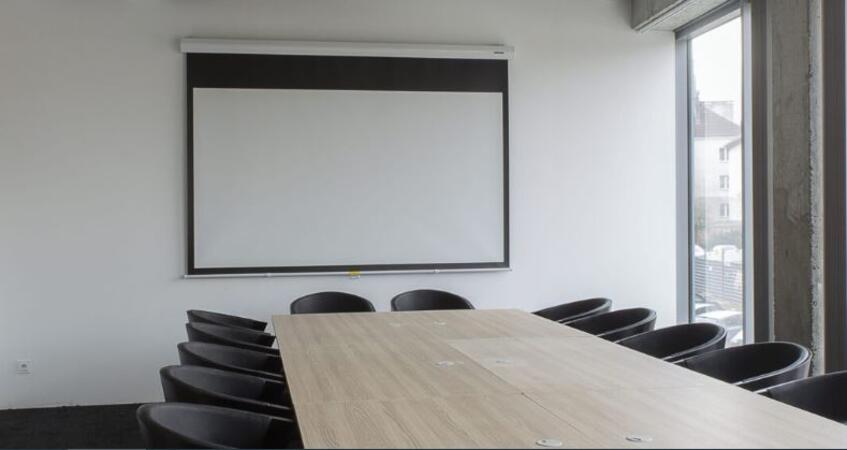
The training room is fully equipped, providing all necessary amenities for participants. Additionally, it has attractive transportation connections to all strategic points of the city, facilitating access for both residents and visitors. It is located just 3 kilometers from the city center, allowing for quick access to other important urban locations and amenities.
This instructor-led, live training in Szczecin (online or onsite) is aimed at This instructor-led, live training (online or onsite) is aimed at beginner-level to intermediate-level business professionals, educators, and marketers who wish to integrate DeepSeek with PowerPoint to automate and optimize their presentations.
By the end of this training, participants will be able to:
Automate the creation of text-based content in PowerPoint slides using DeepSeek.
Generate data-driven visuals and infographics powered by DeepSeek models.
Use AI to summarize long reports and turn them into presentation-ready slides.
Integrate DeepSeek with PowerPoint for streamlined, dynamic presentations.
This instructor-led Excel training in Szczecin guides users from basic data entry to advanced automation techniques. Participants will master formulas, PivotTables, and VBA through hands-on exercises. Ideal for building professional reporting and analysis skills.
This instructor-led, live training in Szczecin (online or onsite) is aimed at beginner-level to intermediate-level professionals who wish to master Microsoft Word, Excel, and PowerPoint for enhanced document creation, data analysis, and presentations.
By the end of this training, participants will be able to:
Effectively create, format, and manage documents in Microsoft Word.
Utilize Excel for data entry, analysis, and visualization.
Design engaging and professional presentations in PowerPoint.
Leverage collaboration features across Microsoft Office applications.
This live training in Szczecin targets intermediate Excel users aiming to master inventory control, budgeting, and reporting. Learn to analyze 5,000+ row datasets using formulas, pivot tables, and macros. Build practical skills in a hands-on lab to automate tasks.
This instructor-led, live training in Szczecin (online or onsite) is aimed at beginner-level to advanced-level data analysts who wish to use Excel to perform a variety of tasks such as data entry, formula creation, data analysis, and advanced automation.
By the end of this training, participants will be able to:
Navigate Excel’s interface and perform basic data entry, formatting, and calculations.
Apply advanced formulas, functions, and conditional formatting for data analysis.
Create and manage pivot tables and charts for data visualization.
Use tools like Power Query, Power Pivot, and perform data analysis.
Automate tasks using macros and VBA to streamline workflows.
This instructor-led, live training in Szczecin (online or onsite) is aimed at beginner-level to intermediate-level professionals who wish to enhance their productivity and efficiency by leveraging the advanced features of Excel and Google Sheets for data organization, analysis, and collaboration.
By the end of this training, participants will be able to:
Navigate and utilize the core features of Excel and Google Sheets.
Perform data analysis and create actionable insights using advanced spreadsheet techniques.
Collaborate in real-time using Google Sheets for seamless teamwork.
Create reusable templates for reporting, tracking, and project management.
Join this live Excel modelling training in Szczecin to build powerful data analysis skills. Learn structured problem-solving, advanced functions, and model design principles. Participants gain hands-on experience creating scalable models for scenario analysis and effective business reporting.
This instructor-led, live training in Szczecin helps you master Microsoft Word from beginner basics to advanced automation. You will learn to format documents, manage layouts, and use features like mail merge and macros to enhance productivity and efficiency.
Excel is a popular spreadsheet program created by Microsoft. Jest used to store, organize and analyze data in tabular form. Here are some key features and functions of Excel: 1. Spreadsheets: It consists of sheets, where each sheet is an array consisting of cells arranged in rows and columns. It allows you to create multiple sheets in one file, which allows you to organize different data sets. 2. Calculations and Formulas: Allows you to perform a variety of mathematical, statistical and logical calculations using formulas. It has a wide set of built-in functions such as SUM, AVERAGE, MAX, MIN, IF, VLOOKUP, etc. 3. Data Formatting and Appearance: Provides tools for formatting data, including changing font, color, style, and creating charts, pivot tables and diagrams. 4. Sorting, Filtering and Grouping: Allows you to sort data according to specific criteria. Allows you to filter data to display only selected information. Possibility to group data depending on needs. 5. Data analysis: Tools for performing advanced analyzes such as scenario analysis, trends, forecasting, and creating macros. 6. Data Sharing: Enables real-time data sharing and collaboration, allowing multiple users to work on the same data simultaneously. 7. Task automation: Ability to create macros and automate tasks using the programming language VBA (Visual Basic for Applications). Excel is widely used in various fields, from business to science and education. Its comprehensive features enable data analysis, creation of reports, budgets, schedules, data management and many other applications.
This instructor-led, live training in Szczecin (online or onsite) is aimed at data analysts who wish to use advanced VBA in Excel for automating tasks.
By the end of this training, participants will be able to:
This instructor-led, live training in Szczecin (online or onsite) is aimed at data analysts who wish to learn techniques for preparing data in Excel, then visualizing it in Power BI.
By the end of this training, participants will be able to:
Understand the principles of data analysis, objectives of data analysis, and approaches for data analysis.
Use DAX formulas in Power BI for complex calculations.
Create and use visualizations and charts for particular analysis cases.
Import with Power View to move from Excel based Power BI to independent Power BI.
This practical course in Szczecin builds foundational data analytics skills using Excel, VBA, and R. Participants will learn data manipulation, visualization, and machine learning techniques to forecast trends, optimize processes, and make evidence-based business decisions.
Automate workflows and build robust desktop applications with VBA across Microsoft Excel and Access. This comprehensive training in Szczecin covers programming fundamentals, object-oriented coding, SQL database design, and user interface development through practical exercises for data management.
Learn essential Microsoft Excel skills in this beginner-focused training in Szczecin. The course covers data entry, formatting, formulas, functions, tables, and data visualization, helping participants build a strong foundation for data analysis and reporting in real-world environments.
Enhance your financial analysis skills with this comprehensive Excel course in Szczecin. Master advanced functions, pivot tables, and external data workflows while exploring practical applications like time value of money, forecasting models, and securities analysis to drive data-driven decisions.
Learn advanced Excel techniques for financial analysis, including INDEX-MATCH, PivotTables, VBA, and Solver, held in Szczecin. Master Goal Seek, database queries, and external data integration to automate workflows and transform raw figures into actionable insights and forecasts.
This practical Excel course in Szczecin covers data entry, formatting, formulas, functions, and chart creation. Participants will learn to efficiently perform calculations, automate spreadsheet tasks, and protect sensitive data against unauthorized access or accidental changes.
This Excel Advanced with VBA course in Szczecin teaches you to optimize data management through advanced formulas and VBA automation. Learn to build custom functions, design forms, and streamline workflows using macros and external data integration for improved productivity.
Learn to create clean, professional documents in this MS Word Basic course. Master text formatting, styles, and layout tools like bullets, tabs, and tables to ensure clarity and aesthetic consistency. Perfect for beginners seeking efficient document management skills in Szczecin.
Instructor-led advanced Word training in Szczecin builds mastery of custom styles, macros, templates, mail merge, and document comparison. Participants gain hands-on skills in automated workflows, dynamic tables of contents, and enterprise-ready document control.
This instructor-led training in Szczecin helps Excel users advance their VBA skills to an intermediate level. You will build custom interfaces, master complex data types, and apply robust error handling and debugging techniques. Ideal for professionals seeking efficient workflow automation.
Master Excel in this 14-hour course held in Szczecin. Learn advanced formulas, formatting, charts, and PivotTables to boost productivity. Perfect for professionals seeking to elevate their data analysis and reporting skills from intermediate to expert levels effectively.
This instructor-led, live training in Szczecin (online or onsite) is aimed at beginner-level analysts who wish to use Excel VBA to automate repetitive work, clean and transform data, and improve reporting processes.
By the end of this training, participants will be able to: record and edit macros, write simple VBA procedures, work with Excel objects for reporting tasks, and debug basic automation solutions.
Master advanced PowerPoint skills in Szczecin to build polished, scalable presentations. Learn slide master customization, SmartArt for visual mapping, and deep Excel integration for live data dashboards. Equip yourself with add-in workflows to streamline complex deck production.
This course in Szczecin teaches advanced PowerPoint slide design, focusing on visual storytelling, composition, and chart creation. It builds practical skills in image editing and effective element distribution, preparing professionals to deliver compelling presentations.
Join this instructor-led workshop in Szczecin to master the art of delivering impressive presentation decks using PowerPoint and modern tools. The course covers slide design, data visualization, and speaker techniques, helping you build confidence and engage your audience effectively.
Learn to restructure your Microsoft Excel workflow using proven best practices. In Szczecin, this course covers data organization, conditional formatting, and data validation to help you build clear, reliable, and error-resistant workbooks suitable for real-world business needs.
This instructor-led, live training in Szczecin (online or onsite) is aimed at beginner-level to intermediate-level business analysts and data analysts who wish to use Excel to perform data analysis and reporting for their projects and tasks.
By the end of this training, participants will be able to:
Use Excel formulas and functions to perform calculations and data manipulation.
Use Excel data analysis tools such as PivotTables, What-If Analysis, and Forecasting to summarize and visualize data.
Use Excel charts and graphs to create and customize data visualizations.
Use Excel data validation and conditional formatting to ensure data quality and highlight data insights.
Use Excel data import and export features to connect to external data sources and share data with others.
This 7-hour course in Szczecin focuses on Excel 365 spill formulas and dynamic arrays. Learn XLOOKUP, SORT, FILTER, and modern text functions to build shorter, more readable formulas without helper columns, significantly improving workflow speed and data management efficiency.
This Microsoft 365 Administrator course in Szczecin covers tenant management, identity synchronization, and security. Learn to configure users, manage Azure AD Connect, implement MFA, and protect data. You will master Defender, Purview compliance, and threat intelligence for enterprise environments.
This 1 day training in Szczecin is designed for power users and SharePoint site owners. It covers configuring site navigation, customizing lists, managing content types, and monitoring activity reports. Ideal for those needing advanced SharePoint administration skills.
This one-day SharePoint User training in Szczecin helps site owners and users master advanced features like team collaboration, document management, and social tools. Learn to manage sites, configure web parts, handle user permissions, and customize site settings for better productivity.
Learn to craft compelling financial slide decks that bridge the gap between complex numbers and executive communication. This 7-hour course covers design strategies, visualizations, and Excel integration to help you master storytelling. Gain practical skills for confident presentation in Szczecin.
Power Query is a tool for importing, transforming, and combining data from various sources in Microsoft Excel and Power BI. The training covers the basics of Power Query, including importing data, manipulating it, parameterization, and query automation.
Read more...
Last Updated:
Testimonials (7)
A comprehensive approach to pivot tables and functions.
Artur Kuzdub - Solutions30 Telecom
Course - Microsoft Office Excel - working effectively with the spreadsheet
Machine Translated
Introduction to macros and presentation of rarely used pivot table options
Piotr Bleszynski - Solutions30 Mobile Sp. z o.o.
Course - Working with spreadsheet in Microsoft Excel
Machine Translated
Introduction to Writing in VBA
Maciej Wirkus - SIEC BADAWCZA LUKASIEWICZ-INSTYTUT LOTNICTWA
Course - Visual Basic for Applications (VBA) in Excel - Introduction to programming
Machine Translated
Flexibility in the course delivery and the interactive approach. The trainer was open to questions, clarified doubts clearly and also considered participants suggestions during the sessions. The training was well structured and informative.
Soundarya Mohan - Mizuho Bank Europe N.V.
Course - Financial Analysis in Excel
The training helped me organize my knowledge.
Magdalena Marciniak
Course - SharePoint Owner and Administrator
Machine Translated
the trainer's patience,
Agata Halubicka - Sad Rejonowy w Krosnie Odrzanskim
Course - Microsoft Office Excel - poziom średnio zaawansowany
The training allowed me to understand the fundamental and most important issues concerning document management in Word
Online MS Office training in Szczecin, Microsoft Office training courses in Szczecin, Weekend MS Office courses in Szczecin, Evening Microsoft Office training in Szczecin, MS Office instructor-led in Szczecin, Microsoft Office trainer in Szczecin, Microsoft Office instructor-led in Szczecin, MS Office classes in Szczecin, MS Office instructor in Szczecin, Weekend Microsoft Office training in Szczecin, MS Office boot camp in Szczecin, Microsoft Office on-site in Szczecin, Evening MS Office courses in Szczecin, MS Office one on one training in Szczecin, MS Office coaching in Szczecin, MS Office private courses in Szczecin, Online MS Office training in Szczecin