NotebookLM for Beginners
Course Description
Overview
The "NotebookLM for Beginners" course is designed for individuals who want to start using AI to work with documents, source materials, and notes but do not require technical implementation or programming knowledge. The program guides participants from the basics of tool usage through organizing sources to practically applying summaries, notes, and Audio Overviews in both individual and team work.
In practice, this means less time spent analyzing materials, easier creation of working notes, quicker identification of key threads, and a more structured approach to knowledge management. Instead of jumping between documents, participants learn to build a single workspace where content can be searched, compared, summarized, and discussed based on their own sources.
This is a hands-on workshop course. Participants work on examples closely resembling real-world applications: training materials, project documentation, reports, articles, web pages, and shared files. This ensures that upon completion of the course, they are ready to implement NotebookLM in their own tasks—without theoretical fluff or "AI magic" that only looks good on a slide.
Why Implement NotebookLM in Your Work?
- reduces the time needed to read and compare multiple sources simultaneously;
- facilitates the creation of working notes, learning materials, and organized summaries;
- allows you to work on your own documents rather than relying on the model's general knowledge;
- supports answer verification through references to sources and quotes;
- provides a quick way to create accessible overviews of materials, including in audio format.
Book the Training
- Format: Remote
- Language: English
- Type: Open Course, Guaranteed Delivery
- Date: 24.07.2026
- Duration: 1 Day (7h)
- Trainer: Aleksandra Czubaszek-Siluch
Net price per participant.
Who Is This Training For?
- specialists and managers working with a large volume of documents, reports, and source materials;
- analysts, consultants, researchers, and those preparing recommendations or summaries; HR, L&D, marketing, sales, and back-office employees who need to quickly organize knowledge;
- educators, trainers, and creators of instructional materials;
- anyone wanting to start using NotebookLM without prior experience with AI tools.
Course Objectives and Learning Outcomes
After completing the course, participants will be able to:
- independently configure NotebookLM and organize work in notebooks;
- add and organize sources in various formats, including documents, web pages, and shared materials;
- create useful summaries, syntheses, quiz questions, and notes based on sources;
- use Audio Overviews for quick learning and reviewing content in audio format;
- apply best practices for working with AI: verifying answers, quality control, and handling data securely;
What Business Problems Does This Training Help Solve?
- an overload of scattered information and difficulty quickly getting to the point;
- time-consuming preparation of notes after meetings, analyses, and document review;
- lack of a coherent method for working with materials from multiple sources;
- the need for faster onboarding and learning based on large volumes of material;
- low utilization of AI tools due to the lack of practical, structured implementation.
Training Format
- interactive lecture with discussion moderated by the trainer;
- practical exercises conducted step-by-step live;
- work on examples closely resembling participants' daily tasks;
- live-lab allowing practice of key NotebookLM features in a practical setting.
Benefits for the Organization
- faster processing of knowledge and source materials by employees;
- more organized notes, summaries, and working materials;
- better utilization of AI investment through specific use cases;
- less time wasted on manually searching documents and creating summaries;
- greater awareness of AI limitations and more responsible use of the tool.
Prerequisites
- basic proficiency in working with online documents and productivity tools;
- ability to use files such as Google Docs, PDFs, or web pages;
- no programming skills or technical AI knowledge required.
Course Curriculum
1. Introduction to NotebookLM
- what NotebookLM is and how it differs from classical AI chatbots;
- logic of working with sources: notebook, sources, questions, quotes, artifacts;
- most common use cases in business, education, and analytical work;
- environment configuration, basic settings, and initial best practices.
Module Result: Participants understand when NotebookLM genuinely helps and when additional verification or another tool is needed.
2. Uploading and Organizing Sources
- adding documents and source materials to the notebook;
- working with sources such as PDFs, web pages, Google Docs/Slides, YouTube, and selected audio files;
- organizing materials by topic, purpose, and work stage;
- creating a notebook structure that facilitates future questions and synthesis.
Module Result: Participants can prepare a notebook for work in such a way that answers are more accurate and useful.
3. Generating Summaries, Questions, and Insights
- creating general summaries, thematic highlights, and comparisons between sources;
- extracting key facts, trends, recommendations, and risk points;
- creating learning materials, working notes, and quiz questions;
- formulating good prompts for working with sources.
Module Result: Participants can extract the most important information from documents instead of wasting time manually searching content.
4. Audio Overviews and "Hands-Free" Learning
- what Audio Overviews are and when to use them;
- generating concise or in-depth discussions of materials;
- using audio for revision, onboarding, meeting preparation, and learning on the go;
- limitations of this feature and principles for verifying AI-generated content.
Module Result: Participants can use audio format as a real productivity support, not just a novelty.
5. Integration with Daily Workflow
- integrating NotebookLM with Google Drive and working on team documents;
- transferring insights into documents, presentations, and further collaboration;
- using NotebookLM as an analytical and notational layer over existing materials;
- organizing simple, repeatable work scenarios for the team.
Module Result: Participants see how to embed NotebookLM into real processes instead of treating it as a separate "side" tool.
6. Best Practices, Privacy, and Quality Control
- how to ask questions to get more accurate answers;
- how to distinguish useful summaries from overly generic responses;
- verifying answers based on sources, quotes, and context;
- data security when working with data, tool limitations, and responsible AI use.
Module Result: Participants complete the training with a practical set of rules for safe and mature work with NotebookLM.
Frequently Asked Questions (FAQ)
Is the training suitable for people with no AI experience?
Yes. The program is designed for beginners and does not require technical or programming knowledge.
Do participants work practically on the tool?
Yes. The course is in a workshop format with exercises and hands-on practice in a live-lab environment.
Can the training be customized for an organization?
Yes. The scope can be expanded to include specific processes, document types, or team work scenarios.

No budget? Get funding!
A program that allows you to easily and quickly obtain funds for individual participants' training.
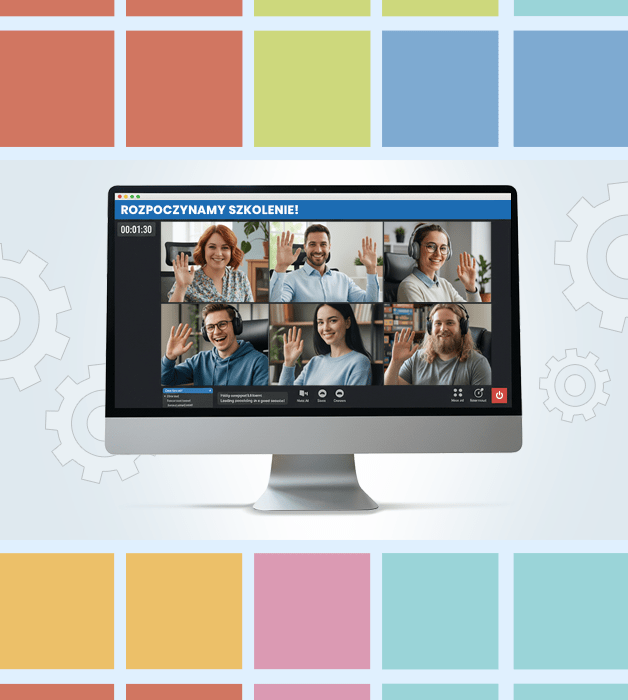
Why is the training guaranteed?
- Guaranteed delivery—the course takes place regardless of the number of participants.
- Knowledge exchange and networking with professionals from various industries.
- Interactive, live sessions—not just theory, but also exercises and discussions.
- Flexible online format—you can join from anywhere.

Need Help?
Reach out to learn more about our team and the kinds of tailored solutions we can offer your organization.
Get in Touchwroclaw@nobleprog.pl or +48 (22) 103 3718