Online or onsite, instructor-led live Windows OS training courses demonstrate through interactive hands-on practice the fundamentals and advanced topics of Windows OS.
Windows OS training is available as "online live training" or "onsite live training". Online live training (aka "remote live training") is carried out by way of an interactive, remote desktop. Onsite live Windows OS training can be carried out locally on customer premises in Trojmiasto or in NobleProg corporate training centers in Trojmiasto.
NobleProg -- Your Local Training Provider
Gdynia
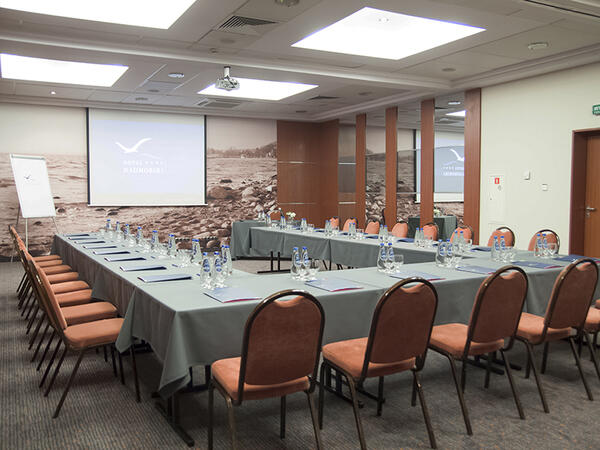
Hotel Nadmorski, Ejsmonda 2, Gdynia, Poland, 81-409
The training room is located just 3 kilometers from the PKP/PKS Station in Gdynia, making it easily accessible for participants traveling by train or bus. Additionally, it is only 400 meters away from the bus stop, facilitating access even for those using public transportation. It is equipped with necessary training tools such as a projector, screen, and flipchart, providing comfortable conditions for both participants and the trainer.
Gdańsk
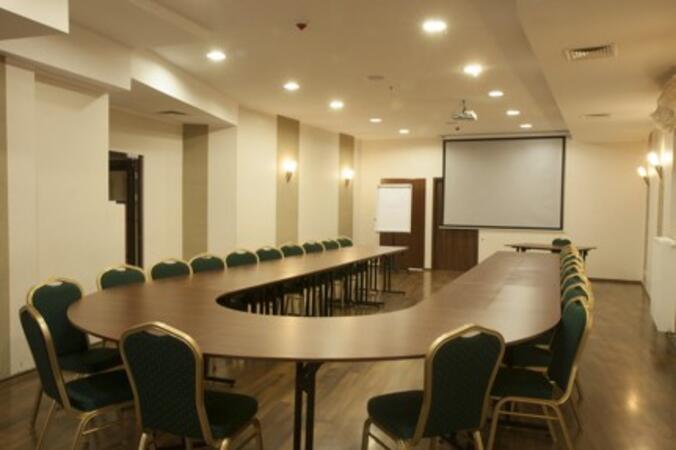
Hotel Fahrenheit, Grodzka 19, Gdańsk, Poland, 80-841
The training room is located in the very heart of the picturesque Gdansk Old Town, making the surroundings not only inspiring but also exceptionally attractive for participants. Within close proximity, you can find the railway and bus stations, facilitating arrival for those traveling by both train and bus. Additionally, the airport and port are also within reach, making this location convenient for individuals coming from distant places, both domestically and internationally.
This instructor-led, live training in Trojmiasto covers the core concepts and hands-on fundamentals of Windows Admin Center and PowerShell for Workstation Management, helping participants build practical skills for remote administration, automation, and secure system management.
This instructor-led training in Trojmiasto helps IT professionals master Windows Server 2022 administration. Participants will configure AD, DNS, and DHCP, deploy Hyper-V and RDS, and implement security best practices through hands-on labs and real-world scenarios.
This instructor-led, live training in Trojmiasto (online or onsite) is aimed at intermediate-level system administrators who wish to learn how to install, configure, and manage Windows Server 2022 in real-world environments.
By the end of this training, participants will be able to:
Install and configure Windows Server 2022 on physical or virtual machines.
Deploy and manage core infrastructure services such as AD DS, DNS, and DHCP.
Implement virtualization, storage, and network services using best practices.
Secure and administer server roles including Remote Desktop, IIS, and WSUS.
This instructor-led, live training in Trojmiasto (online or onsite) is aimed at intermediate-level IT professionals who wish to deploy, configure, and manage Windows 11 in a business environment.
By the end of this training, participants will be able to:
This instructor-led, live training in Trojmiasto (online or onsite) is aimed at intermediate-level IT professionals who wish to become certified in managing and implementing Windows Server hybrid solutions.
By the end of this training, participants will be able to:
Learn to deploy, manage, and maintain Windows Server in hybrid environments, integrating with Azure services
Understand how to implement and manage Active Directory Domain Services (AD DS) and synchronize identities between on-premises and Azure Active Directory (Azure AD).
Configure Hyper-V, network features, and storage solutions in Windows Server for a hybrid setup.
Administer Windows Server IaaS virtual machines in Azure, including deployment, configuration, and scaling.
This instructor-led, live training in Trojmiasto (online or onsite) is aimed at intermediate-level IT professionals who wish to effectively support and troubleshoot Windows 11 environments.
By the end of this training, participants will be able to:
Understand Windows 11 architecture, features, and deployment options.
Troubleshoot common startup, hardware, and application issues.
Resolve networking and connectivity problems in Windows 11.
Manage security features including updates, antivirus, and firewalls.
Support and restore user profiles, system settings, and applications.
This instructor-led, live training in Trojmiasto (online or onsite) is aimed at beginner to intermediate-level system administrators who wish to gain the knowledge and skills needed to effectively manage and maintain Windows Server 2022 in enterprise environments.
By the end of this training, participants will be able to:
Install and configure Windows Server 2022 effectively.
Employ various server management tools and techniques.
Configure network services and strengthen server security settings.
Implement virtualization using Hyper-V for efficient resource management.
By the end of this training, participants will be able to install and configure the most important services in Windows Server 2016, including networking, user management, security, update and maintenance, Powershell scripting and more.
Format of the Course
Interactive lecture and discussion
Lots of exercises and practice
Hands-on implementation in a live-lab environment
Course Customization Options
To request a customized training for this course, please contact us to arrange.
This five-day instructor-led course in Trojmiasto is designed for IT professionals with some experience in Windows Server. It covers fundamental administration skills needed to deploy and support Windows Server 2019, including identity, networking, storage, and compute management in most organizations.
Read more...
Last Updated:
Testimonials (3)
It was done at our pace, speeding through areas we know, while slowing down and giving more information where we needed.
Kevin Stanley - Chugachmiut
Course - Windows Server 2022 for System Administrators
Training format, adapting the training method to our needs.
Engagement of Marcin, readiness to help and share knowledge :) and a picture of animals :)
Michal - Badaj.to
Course - Windows Server 2016
Machine Translated
Thank you for the informative and wonderful course. I would also like to thank the trainer Mr. Ahmed El Gendy for delivering the information in a very smooth and understandable manner. I have benefited greatly from this course and can confidently say that I now understand all the topics and can apply them practically.
Atheer hadi aljezani - Tamkeen Technologies
Course - Windows Server 2019 Administration (authorized training course WS 011T00)
Online Windows Operating System (OS) training in Trojmiasto, Windows OS (Operating System) training courses in Trojmiasto, Weekend Windows Operating System courses in Trojmiasto, Evening Windows Operating System (OS) training in Trojmiasto, Windows Operating System instructor-led in Trojmiasto, Windows Operating System (OS) coaching in Trojmiasto, Weekend Windows Operating System (OS) training in Trojmiasto, Windows Operating System (OS) private courses in Trojmiasto, Windows OS on-site in Trojmiasto, Windows Operating System (OS) instructor in Trojmiasto, Windows Operating System (OS) classes in Trojmiasto, Windows OS (Operating System) one on one training in Trojmiasto, Windows Operating System boot camp in Trojmiasto, Windows OS (Operating System) trainer in Trojmiasto, Online Windows Operating System (OS) training in Trojmiasto, Evening Windows Operating System courses in Trojmiasto, Windows Operating System instructor-led in Trojmiasto