Online or onsite, instructor-led live Microsoft Project training courses demonstrate through hands-on practice how to use Microsoft Project to efficient manage a project.
Microsoft Project training is available as "online live training" or "onsite live training". Online live training (aka "remote live training") is carried out by way of an interactive, remote desktop. Onsite live MS Project trainings in Zakopane can be carried out locally on customer premises or in NobleProg corporate training centers.
NobleProg -- Your Local Training Provider
Zakopane
Dafne, Jagiellońska 30, Zakopane, Poland, 34-500
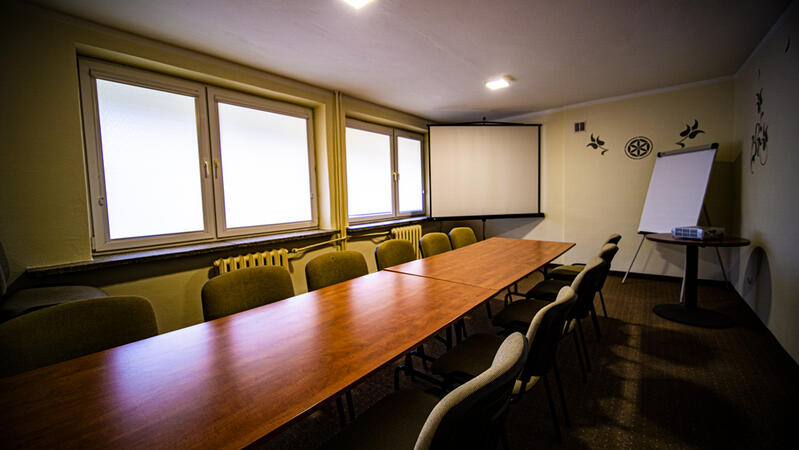
The training room is located just 350 meters from the railway and bus stations and 700 meters from Krupówki, the main shopping street in Zakopane. There is a fenced parking area on the premises, providing convenience for participants traveling by car and facilitating access to the facility.
Microsoft Project Online is a cloud-based project and portfolio management tool that helps organizations plan, prioritize, and manage projects and resources effectively.
This instructor-led, live training (online or onsite) is aimed at intermediate-level project professionals who wish to manage and track projects using Microsoft Project Online.
By the end of this training, participants will be able to:
Navigate and configure Microsoft Project Online for effective project management.
Create and structure projects using Work Breakdown Structures (WBS).
Assign and manage resources and costs across project activities.
Develop and maintain project schedules and baselines.
Track project progress and generate insightful reports.
Format of the Course
Interactive lecture and discussion.
Lots of exercises and practice.
Hands-on implementation in a live-lab environment.
Course Customization Options
To request a customized training for this course, please contact us to arrange.
This instructor-led, live training in Zakopane (online or onsite) is aimed at beginner-level to intermediate-level project managers, business analysts, and team leads who wish to leverage Microsoft Project Pro for task scheduling, resource allocation, and progress tracking.
By the end of this training, participants will be able to:
Create and manage project plans using Microsoft Project Pro.
Schedule tasks, allocate resources, and manage dependencies.
Track project progress, costs, and risks effectively.
Generate reports and share project data with stakeholders.
In the high-stakes world of project management, the difference between success and failure often lies in the tools used and the mastery of them. Without a centralized, dynamic scheduling tool, organizations face the Cost of Inaction: missed deadlines, invisible resource bottlenecks, and budget overruns that erode profit margins. Relying on static spreadsheets or disjointed tools creates a "blind spot" where critical path delays go unnoticed until it is too late to recover.
The Transformation Microsoft Project is the industry standard for a reason—it empowers managers to deliver on time and within budget. However, simply owning the software is not enough; leveraging its full capabilities requires hands-on skill.
Read more...
Last Updated:
Testimonials (2)
Pemahaman terhadap konsep dari schedule dan cost planning
R. Galih Gumilar Thessa - Ciputra Group
Course - Mastering Project Management with Microsoft Project
Online MS Project training in Zakopane, Microsoft Project training courses in Zakopane, Weekend MS Project courses in Zakopane, Evening Project training in Zakopane, Project instructor-led in Zakopane, Online MS Project training in Zakopane, MS Project boot camp in Zakopane, MS Project instructor in Zakopane, Microsoft Project coaching in Zakopane, Evening MS Project courses in Zakopane, MS Project instructor-led in Zakopane, Microsoft Project classes in Zakopane, Project private courses in Zakopane, Project one on one training in Zakopane, Microsoft Project on-site in Zakopane, Weekend MS Project training in Zakopane, Microsoft Project trainer in Zakopane