AI-102T00: Designing and Implementing a Microsoft Azure AI Solution
Course Description
Characteristics
AI-102 Designing and Implementing a Microsoft Azure AI Solution is intended for software developers who want to build AI-powered applications using Azure Cognitive Services, Azure Cognitive Search, and Microsoft Bot Framework. C# or Python programming language will be used during the course.
Requirements
Before attending this course, participants must have:
- Knowledge of Microsoft Azure and ability to navigate the Azure portal
- Knowledge of C# or Python
- Knowledge of JSON and REST programming semantics
Book this course
- Format: Remote
- Language: PL
- Type: Public course with guaranteed date (both groups and individuals can join)
- Date: 05.10.2026
- Duration: 4 days (28 hours)
Net price per participant.
Course Outline
Module 1: Introduction to AI on Azure
Lessons
- Introduction to Artificial Intelligence
- Artificial Intelligence on Azure
Artificial Intelligence (AI) is increasingly at the core of modern applications and services. In this module, you will learn about typical AI capabilities you can leverage in your applications and how they are implemented in Microsoft Azure. You will also learn about considerations for designing and implementing AI solutions responsibly.
After completing this module, students will be able to:
- Describe considerations for creating AI-enabled applications
- Identify Azure services for creating AI applications
Module 2: Developing AI Apps with Cognitive Services
Lessons
- Introduction to Cognitive Services
- Using Cognitive Services for enterprise applications
Cognitive Services are the essential building blocks for integrating AI capabilities into applications. In this module, you will learn how to provision, secure, monitor, and deploy cognitive services.
Labs:
- Get Started with Cognitive Services
- Manage Cognitive Services Security
- Monitor Cognitive Services
- Use a Cognitive Services Container
After completing this module, students will be able to:
- Provision and consume cognitive services in Azure
- Manage cognitive services security
- Monitor cognitive services
- Use a cognitive services container
Module 3: Getting Started with Natural Language Processing
Lessons
- Analyzing Text
- Translating Text
Natural Language Processing (NLP) is a branch of artificial intelligence concerned with extracting insights from written or spoken language. In this module, you will learn how to use cognitive services to analyze and translate text.
Labs:
- Translate Text
- Analyze Text
After completing this module, students will be able to:
- Use the Text Analytics cognitive service to analyze text
- Use the Translator cognitive service to translate text
Module 4: Building Speech-Enabled Applications
Lessons
- Speech Recognition and Synthesis
- Translating Speech
Many modern applications and services accept speech input and can respond by synthesizing text. In this module, continuing your exploration of natural language processing capabilities, you will learn how to build speech-enabled applications.
Labs:
- Speech Recognition and Synthesis
- Translate Speech
After completing this module, students will be able to:
- Use the Speech cognitive service to recognize and synthesize speech
- Use the Speech cognitive service to translate speech
Module 5: Creating Language Understanding Solutions
Lessons
- Creating a Language Understanding App
- Publishing and Using a Language Understanding App
- Using Language Understanding with Speech
To build an application that can intelligently understand and respond to natural language input, you must define and train a language understanding model. In this module, you will learn how to use the Language Understanding service to build an application that can identify user intent from natural language input.
Labs:
- Create a Language Understanding Client Application
- Create a Language Understanding App
- Use Speech and Language Understanding Services
After completing this module, students will be able to:
- Create a Language Understanding app
- Create a client application for Language Understanding
- Integrate Language Understanding and speech
Module 6: Building a QnA Solution
Lessons
- Creating a QnA Knowledge Base
- Publishing and Using a QnA Knowledge Base
One of the most common types of interaction between users and AI software agents is asking natural language questions, to which the AI agent intelligently responds with the appropriate answer. In this module, you will learn how the QnA Maker service enables you to build this type of solution.
Labs:
- Create a QnA Solution
After completing this module, students will be able to:
- Use the QnA Maker service to create a knowledge base
- Use a QnA knowledge base in an application or bot
Module 7: Conversational AI and the Azure Bot Service
Lessons
- Bot Basics
- Implementing a Conversational Bot
Bots form the foundation of an increasingly common type of AI application where users converse with AI agents, often just as they would with a human. In this module, you will explore the Microsoft Bot Framework and Azure Bot Service, which together provide a platform for building and delivering conversational experiences.
Labs:
- Create a Bot with the Bot Framework SDK
- Create a Bot with Bot Framework Composer
After completing this module, students will be able to:
- Use the Bot Framework SDK to create a bot
- Use Bot Framework Composer to create a bot
Module 8: Getting Started with Computer Vision
Lessons
- Analyzing Images
- Analyzing Video
Computer vision is an area of artificial intelligence in which applications interpret visual input from images or video. In this module, you will start exploring computer vision by learning how to use cognitive services to analyze images and video.
Labs:
- Analyze Video
- Analyze Images with Computer Vision
After completing this module, students will be able to:
- Use the Computer Vision service to analyze images
- Use Video Analyzer to analyze video
Module 9: Developing Custom Computer Vision Solutions
Lessons
- Image Classification
- Object Detection
While predefined general computer vision capabilities are useful in many scenarios, sometimes you need to train a custom model on your own visual data. In this module, you will explore the Custom Vision service and learn how to use it to build custom image classification and object detection models.
Labs:
- Classify Images with Custom Vision
- Detect Objects in Images with Custom Vision
After completing this module, students will be able to:
- Use the Custom Vision service to implement image classification
- Use the Custom Vision service to implement object detection
Module 10: Detecting, Analyzing, and Recognizing Faces
Lessons
- Face Detection with Computer Vision
- Using the Face Service
Detecting, analyzing, and recognizing faces are common computer vision scenarios. In this module, you will learn how to use cognitive services to identify human faces.
Labs:
- Detect, Analyze, and Recognize Faces
After completing this module, students will be able to:
- Detect faces with Computer Vision
- Detect, analyze, and recognize faces with the Face service
Module 11: Reading Text in Images and Documents
Lessons
- Reading Text with Computer Vision
- Extracting Information from Forms with Form Recognizer
Optical Character Recognition (OCR) is another common computer vision scenario where software extracts text from images or documents. In this module, you will explore cognitive services that can be used to detect and read text from images, documents, and forms.
Labs:
- Read Text from Images
- Extract Data from Forms
After completing this module, students will be able to:
- Use the Computer Vision service to read text from images and documents
- Use the Form Recognizer service to extract data from digital forms
Module 12: Creating a Knowledge Mining Solution
Lessons
- Implementing an Intelligent Search Solution
- Creating Custom Skills for an Enrichment Pipeline
- Creating a Knowledge Store
Ultimately, many AI scenarios involve intelligently searching for information based on user queries. AI-powered knowledge mining is an increasingly important way to build intelligent search solutions that leverage AI to extract insights from large digital data repositories and enable users to find and analyze those insights.
Labs:
- Create a Custom Skill for Azure Cognitive Search
- Create an Azure Cognitive Search Solution
- Create a Knowledge Store with Azure Cognitive Search
After completing this module, students will be able to:
- Create an intelligent search solution with Azure Cognitive Search
- Implement a custom skill in an Azure Cognitive Search enrichment pipeline
- Use Azure Cognitive Search to create a knowledge store
Frequently Asked Questions (FAQ)
Who is the AI-102T00 course intended for and what are the prerequisites?
The course is designed for software developers who are required to have knowledge of Microsoft Azure, proficiency in C# or Python, and familiarity with JSON and REST semantics. This course is ideal for developers with prior experience who wish to expand their skills to building advanced applications using artificial intelligence and Azure Cognitive Services.
In what format and when does the Azure AI solution design course take place?
The course takes place live online with an instructor on the guaranteed date of October 5, 2026. It is a 4-day public course (covering a total of 28 hours of learning), open to both full groups and individual attendees, combining interactive lectures with practical hands-on labs.
What exactly will I learn during the AI-102 course on Microsoft Azure?
During the course, you will learn how to design and implement AI applications for Natural Language Processing (NLP), image and video analysis (Computer Vision), speech understanding, and intelligent information retrieval. You will gain practical skills in working with Azure Cognitive Services, building conversational bots using the Microsoft Bot Framework, and creating solutions for face recognition or optical character recognition (OCR).
What is the price of the authorized AI-102T00 course and what does it include?
The course price is 5160 PLN net per participant. This amount covers a full 28 hours of intensive 4-day live instructor-led sessions, including extensive hands-on lab exercises that allow for practical experience in deploying Azure Cognitive Services models and features.

No budget? Get funding!
A program that easily and quickly allows you to secure funds for employee training courses.
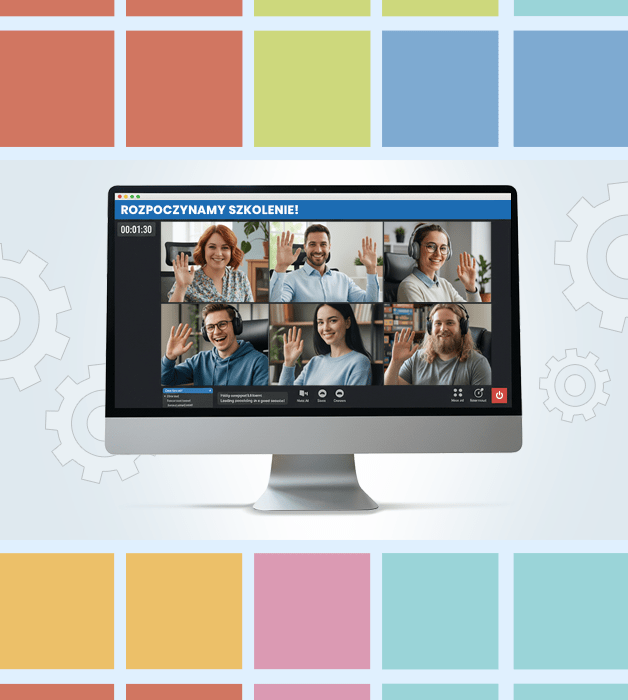
Public courses
- Knowledge sharing and networking with professionals from various industries.
- Interactive, live-led sessions — not just theory, but also practical exercises and discussions.
- Flexible online format — join from anywhere.

Need Help?
Reach out to learn more about our team and the kinds of tailored solutions we can offer your organization.
Get in Touchwroclaw@nobleprog.pl or +48 (22) 103 3718